
The Hidden Cost of Information That Exists But Can’t Be Found
AEC teams spend over 8 hours per week searching for information that exists but can't be found. Learn how operational intelligence transforms scattered data into actionable answers at the moment of decision.
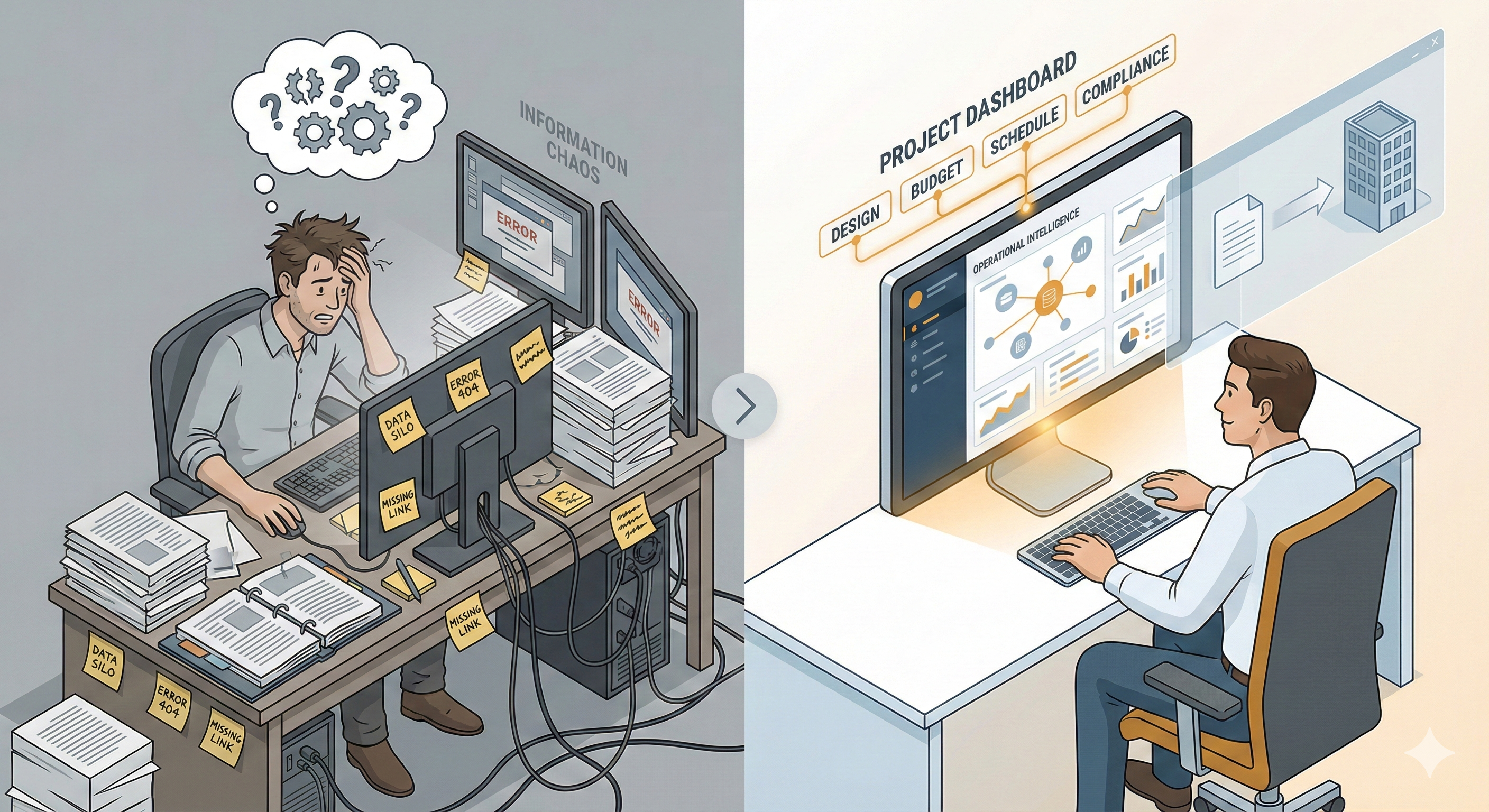
Three people, three searches, same project:
An architect hunting for the ceiling height reference from last month’s structural coordination meeting. An engineer trying to locate the load calculation that justified the revised beam specification. A contractor searching for the approved window submittal before ordering materials.
The information exists. It lives in project files, email threads, RFI logs, and coordination models. However, finding it requires checking multiple systems, remembering which version is current, and hoping the context hasn’t drifted since the decision was made.
According to the American Productivity & Quality Center’s 2023 benchmarking study, knowledge workers spend an average of 8.2 hours per week searching for information. That’s more than a full workday lost to hunting instead of doing. For architecture and engineering firms, where decisions require supporting context from drawings, specifications, submittals, and coordination models, the cost compounds quickly.
Autodesk and FMI’s 2023 research puts the global cost of poor data quality and inaccessibility in construction at $1.85 trillion annually. Not data that’s wrong. Data that exists but can’t be found when teams need it.
This isn’t a story about careless professionals or poorly organized firms. It’s about talented people fighting systems that scatter information faster than they can retrieve it. The problem isn’t lack of knowledge. It’s broken access.
The Pattern: Why Knowledge Exists But Access Fails
AEC projects generate information across disciplines, systems, and phases. Design intent lives in Revit models. Coordination happens in Autodesk Construction Cloud. Communication flows through email and Microsoft Teams. Specifications sit in Word documents. Submittals track through separate platforms.
Each system serves a purpose. However, decisions rarely fit inside a single tool’s boundaries.
When an architect adjusts a window detail, the structural engineer needs to verify header capacity, the MEP engineer checks for duct clearance, and the contractor validates the approved submittal. That coordination requires information from four different systems, and everyone needs to be looking at the same version.
FMI’s 2024 Technology Report found that 30% of the applications used in engineering and construction don’t integrate with each other. The same research found that 96% of the data collected on construction projects goes unused. Not because it’s irrelevant, but because it’s scattered across disconnected systems.
The coordination overhead shows up as late-stage discoveries and multi-discipline handoffs that break down. An architect finds out during construction administration that the contractor ordered windows based on an outdated detail. An engineer learns during submittal review that the structural calculation everyone referenced was from the previous design iteration. A project manager realizes mid-meeting that three people have three different versions of the same RFI response.
Growth amplifies the pattern.
What worked when the firm had 12 people (knowing who has which information, checking in with the right person, institutional knowledge living in a few key heads) breaks when the team reaches 35. Zweig Group’s research on firm growth identifies delegation and process formalization as the primary constraints firms face when scaling. The knowledge exists. However, the systems for accessing it don’t scale with the team.
The cost appears as rework and delays. Autodesk and FMI’s research found that 48% of rework in construction comes from poor project data and miscommunication. McKinsey’s analysis of megaprojects shows that 77% run 40% or more behind schedule. Coordination failures consistently rank among the primary causes.
This isn’t about people failing to communicate. It’s about systems architecture that makes coordination harder than the work itself.
Why Traditional Solutions Leave Gaps
Document management systems solve version control. Project management tools track tasks and schedules. Business intelligence platforms generate reports and dashboards. Each serves a real need. However, none connect scattered context at the moment teams need answers.
Document Management (Storage ≠ Intelligence)
DMS platforms (SharePoint, Egnyte, Box) provide centralized storage and version control. They prevent the chaos of emailed attachments and shared network drives. However, they require knowing where to look.
Finding the structural calculation for Building A’s third-floor beam means knowing it lives in the Structural folder, under Calculations, filed by building and floor. If the engineer saved it with a different naming convention, or if the relevant context sits in an email thread, the search starts over.
Storage solves “where is this file?” It doesn’t answer “what’s the current header capacity for this window detail, and which structural calculation supports it?”
Project Management (Tasks ≠ Context)
PM platforms (Procore, Autodesk Construction Cloud, Monday.com) track schedules, RFIs, and submittals. They make workflows visible and keep teams aligned on deadlines. However, they organize information around tasks, not questions.
When someone asks “what did we decide about the mechanical/structural coordination at column line F?”, the PM system shows which tasks are assigned and when they’re due. It doesn’t synthesize the structural engineer’s coordination note, the mechanical submittal that resolved the conflict, and the architect’s revised detail that documented the solution.
Task tracking solves “what needs to happen next?” It doesn’t answer “what’s the supporting context for the decision we made last month?”
Business Intelligence (And Why Historical Data Doesn’t Help During Coordination Calls)
BI platforms (Power BI, Tableau, Domo) aggregate data from multiple systems and generate dashboards showing project health, resource allocation, and financial performance. They provide strategic visibility. However, they’re backward-looking.
During a coordination call when the contractor asks about ceiling height at a specific location, the BI dashboard showing overall project metrics doesn’t help. Teams need the architectural drawing, the structural calculation, and the MEP coordination model. Right now, with enough context to make a confident decision.
Dashboards? They’re great for quarterly business reviews. They’re useless, though, when someone asks about ceiling height during a coordination call and needs an answer now, not a historical trend line.
FMI’s research underscores the gap: despite collecting massive amounts of project data, 96% goes unused because existing tools don’t make it accessible at the moment of decision.
What Operational Intelligence Offers
Operational Intelligence synthesizes scattered context into actionable answers at the moment of decision.
While document management stores files, project management tracks tasks, and business intelligence analyzes performance, OI connects information across systems to answer questions teams actually ask: What’s the current specification? Which calculation supports this decision? What did we decide on the last project that’s similar to this?
Three Core Capabilities:
- Search across systems simultaneously. Instead of checking Autodesk Construction Cloud, then SharePoint, then email, then the submittal log. Search once, get results from everywhere.
- Return answers with citations for validation. Not just documents, but the specific section, version, and source that answers the question. The structural calculation and which page shows the relevant load case.
- Validate before acting. Clarity and trust come from seeing the supporting context. When the answer includes the architectural detail, the structural calculation, and the approved submittal, teams can verify they’re working from the same information.
Operational Intelligence vs. Existing Categories:
I made this table because prospects keep asking “isn’t this just another DMS?” Here’s the clearest way I can show the difference:
| Category | What It Solves | What It Doesn’t | OI Difference |
|---|---|---|---|
| Document Management | Version control, storage | Requires knowing where to look | Searches across systems, returns answers not just files |
| Project Management | Task tracking, workflows | Doesn’t connect decisions to supporting documents | Synthesizes context from multiple sources |
| Business Intelligence | Historical analysis, reporting | Backward-looking, not real-time | Provides answers at moment of decision |
For architects, OI means finding mission-critical precedent details from similar projects without remembering which project folder they’re in. For engineers, it means retrieving the coordination solution from three months ago without hunting through email threads. For contractors, it means getting the approved submittal and the spec section it references in one search.
The difference between traditional tools and operational intelligence shows most clearly in the workflow:
Traditional Reality: Project manager on a coordination call. Client asks about the window header detail. PM says “let me get back to you,” searches ACC for the architectural drawing, checks email for the structural engineer’s note, finds the submittal log, cross-references versions. After checking ACC, then email, then the submittal log. Often 15-20 minutes of searching later, the answer is finally assembled.
OI Reality: Same question. In an operational intelligence system, the answer includes the architectural detail, the structural calculation, and the approved submittal (with version numbers and sources) in under a minute. The answer includes enough context for everyone on the call to verify they’re working from current information.
Operational intelligence doesn’t replace existing tools. It makes them more useful by connecting them at the moment teams need answers.
What This Looks Like: Multi-Discipline Coordination
A coordination meeting brings together four people: the architect, structural engineer, MEP engineer, and general contractor. They’re resolving a mechanical/structural conflict at column line F. The mechanical duct interferes with the structural beam. Fabrication starts Monday.
Traditional Reality:
The architect searches ACC for the ceiling height reference from the schematic design phase. The structural engineer opens the calculation folder to find the beam sizing analysis. The MEP engineer checks the submittal log for the approved duct specification. The contractor reviews email to locate the RFI response about similar conditions on another building.
Fifteen minutes into the meeting, they’re still assembling context.
The meeting extends by 30 minutes. The decision gets delayed because no one is certain they’re working from the same version of the information.
Operational Intelligence Reality:
One question: “What’s the coordination solution for the mechanical/structural conflict at column line F?”
The system returns:
- The architectural reflected ceiling plan (current version) showing 10’-6” clear height requirement
- The structural calculation (Sheet S-12, dated last month) showing beam depth options
- The approved mechanical submittal (Submittal #14, approved two weeks ago) with the duct dimensions
- The contractor’s RFI from Building B (RFI #47) showing how a similar condition was resolved
Everyone sees the same information, including version numbers, dates, and sources. The decision happens in five minutes. Fabrication starts Monday with confidence that the dimensions are validated.
In this scenario, the operational difference is clear: 20+ minutes saved, higher confidence in the decision, reduced risk of rework from working with outdated information.
Industry research shows that 22% of RFIs go unanswered or are answered incorrectly, contributing an average of $859,680 in costs per project. That pattern has held consistent since Navigant’s widely-cited 2013 analysis. PlanRadar’s 2022 research found that 26% of rework stems from miscommunication and outdated documentation.
Operational intelligence doesn’t prevent all coordination issues. However, it eliminates the time spent hunting for context and reduces the risk of decisions made with incomplete information.
What Changes When Information Access Works
When access to information works reliably, firms gain the capacity to scale differently.
Growth no longer means “hire someone who knows where everything is stored.” Institutional knowledge becomes systematic, not tribal. The precedent detail from three years ago doesn’t disappear when the senior architect moves to another firm. The coordination solution from the last project informs the current one without requiring someone to remember it exists.
Zweig Group’s research on firm growth consistently shows that firms struggling to scale cite delegation failures and missing operational processes as primary constraints. When knowledge lives in people’s heads or scattered across disconnected systems, every new hire requires months of context-building. Every project team starts from scratch.
Operational intelligence gives firms the clarity to shift the equation. New project managers ramp faster because they can search past projects for precedent solutions. Senior staff spend less time answering “where is this?” and more time on work that requires their expertise. Teams make decisions with confidence because the supporting context is accessible, not dependent on who’s in the office.
Hinge Research Institute’s 2024 High Growth Study found that high-growth firms in professional services grow 4X faster than average performers and achieve 30% higher profitability. The differentiators consistently include better knowledge management, faster project delivery, and stronger operational systems.
The competitive advantage isn’t just speed. It’s the quality of decisions made with complete context. Faster RFI responses because the answer and supporting documents are immediately accessible. Better coordination because everyone works from the same version of information. Preserved institutional knowledge because solutions don’t walk out the door with departing employees.
The cultural shift is subtle but significant: from information hoarding (where value comes from “knowing where everything is”) to information access (where value comes from expertise in interpretation). When anyone can find the structural calculation, the engineer’s value shifts from being the person who remembers which folder it’s in to being the person who knows what it means for the current project.
Operational intelligence doesn’t just make individual tasks faster. It changes what becomes possible when systems serve people instead of the other way around.
Where to Start: Evaluating Your Current State
In pilot conversations, I ask four questions that tell me everything I need to know about whether a firm needs operational intelligence. These aren’t about technology stack or budget. They’re about operational reality.
Before evaluating any solution (ours or anyone else’s), start here:
Four Questions:
- How long does it take to assemble the full context for a past decision? If someone asks “why did we specify this detail on the last project?”, can your team answer with supporting documents in minutes, or does it require hours of hunting?
- How many systems do teams search for a typical question? According to FMI’s 2024 Technology Report, the average AEC firm uses 6-10 different software tools. If answering one question means checking ACC, then SharePoint, then email, then the submittal log, access is broken.
- How much knowledge walks out the door when a key person leaves? If losing your senior PM means losing access to coordination solutions from the past three years, knowledge is tribal, not institutional.
- What percentage of meetings involve someone saying “let me get back to you” because information isn’t immediately accessible? If document hunting is the default, not the exception, operational intelligence is missing.
Red Flags:
- The same questions get asked repeatedly because past answers aren’t accessible
- New hires take 6+ months to ramp because institutional knowledge lives in people’s heads
- Rework happens from working with outdated information that wasn’t obviously outdated
- Teams spend meeting time hunting for context instead of making decisions
- Workplace productivity research consistently shows that knowledge workers frequently recreate documents they know exist but can’t locate. That pattern compounds across projects and teams
What Operational Intelligence Looks Like:
- Cross-system search: Ask a question, get results from all connected platforms
- Contextual results: Not just matching documents, but the specific section, version, and relationship to the question
- Citation trails: Clear provenance showing where information came from and when it was created
- Real-time access: Information is current, not dependent on manual updates or someone remembering to file it correctly
Operational intelligence isn’t about replacing existing tools. It’s about connecting them so information flows to the moment of decision instead of requiring teams to hunt across disconnected systems.
The evaluation criteria are operational, not technical: Does it reduce the time spent searching? Does it increase confidence in decisions? Does it preserve institutional knowledge when people leave? Does it scale with the team instead of breaking as the firm grows?
The best operational intelligence feels invisible. Not because it’s hidden, but because finding information becomes so reliable that teams stop thinking about the systems and focus on the work.
References
- American Productivity & Quality Center. (2023). Knowledge Management Benchmarking Study. APQC. https://www.apqc.org
- Autodesk & FMI Corporation. (2023). The Global Cost of Poor Data Quality and Inaccessibility in Construction. https://www.autodesk.com/campaigns/fmi
- FMI Corporation. (2024). Technology Report: Engineering and Construction Industry Analysis. FMI Quarterly. https://www.fminet.com/fmi-quarterly/article/2024/technology-in-construction/
- Hinge Research Institute. (2024). High Growth Study: Professional Services Firms. Hinge Marketing. https://hingemarketing.com/library/article/2024-high-growth-study
- McKinsey & Company. (n.d.). Operations Insights: Megaproject Performance Analysis. McKinsey Capabilities. https://www.mckinsey.com/capabilities/operations/our-insights
- Navigant Consulting. (2013). Request for Information Management in Construction Projects. Navigant. https://www.navigant.com/
- PlanRadar. (2022). Construction Rework: Causes and Cost Analysis. PlanRadar Research. https://www.planradar.com/
- Zweig Group. (n.d.). Firm Growth and Scaling Research. The Zweig Letter. https://www.zweiggroup.com/